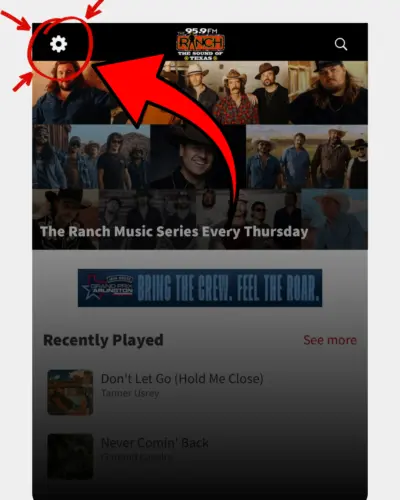
From the home screen, tap the gear icon in the top left corner.
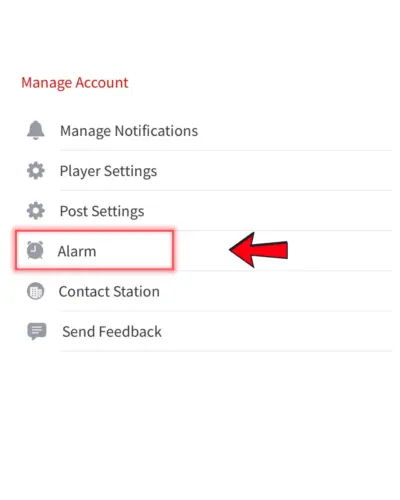
Scroll through your settings and tap “Alarm.”
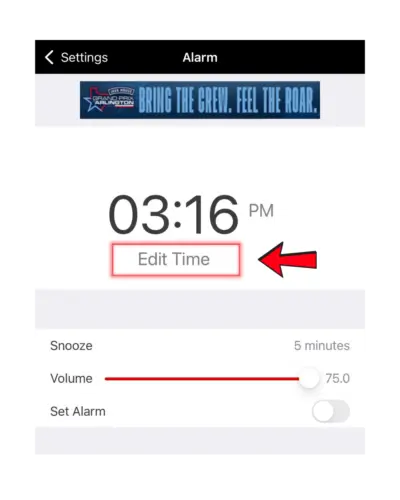
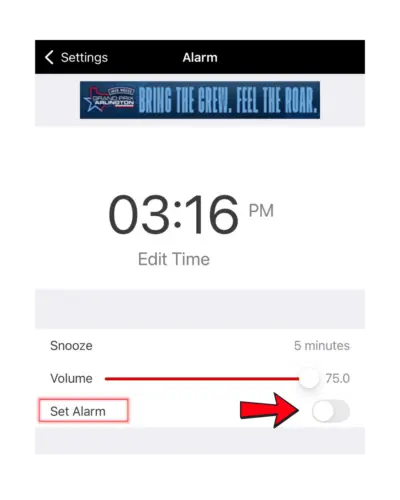
Tap “Edit Time” and choose the time you want your alarm to go off.
Find the “Set Alarm” toggle and turn it ON.
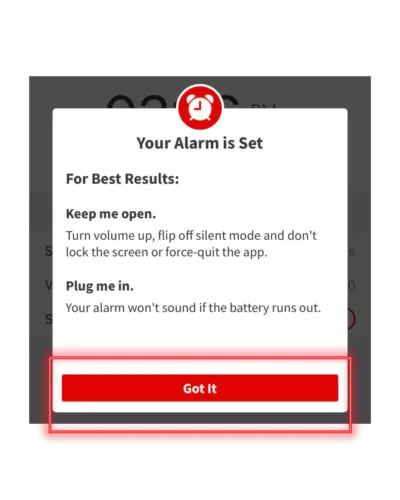
Once your alarm is set, you’ll see a confirmation screen. Tap “Got It” to finish.
At your selected time, The Ranch app will automatically start playing live, so you can wake up to Texas music.
For best results, keep the app open in the background and make sure your phone’s volume is turned up.
Your phone should not be on silent mode, and the app should not be force-closed.
This feature works the same on both iPhone and Android.
Plug your phone in overnight and wake up to The Ranch already playing your favorite Texas music.